
Help

Welcome to JamieSamoyed.com! This page will help you get started and get the most out of using this site. We've covered a few general concepts below, as well as links to more specific guidance for devices such as the iPhone, Android devices, Windows computers, and iPad or macOS devices.
If you have a question about something that's not covered here, let us know via the contact form and we'll do our best to help.
Signing up
This is a members-only web site, meaning that you have to sign up for a membership in order to see all of the content. If you want to become a member of the site, click here to sign up. You just need to provide your name and email address, and you'll have the option to turn email notifications on or off for new posts and replies to your comments.
After you finish signing up, you'll be directed to our Welcome page for new members, which provides information about how to change your email preferences and how to comment on posts.
If you get a message saying "This page is for subscribers only" when you click on that Welcome page link, but you're sure you've signed up, then that means you're not currently signed in. Click the Sign In link to sign in, and then you'll be able to see everything on the site.
Navigating the site
Everything on this site is accessible on the home page (that is, www.jamiesamoyed.com) or the homepage menu at the top of the screen. On a tablet, laptop, or desktop computer, the homepage menu is on the top left. On a phone, you need to click on the small icon in the top right corner (the one with two horizontal lines) to get to the homepage menu.
There are currently five buttons on the homepage menu: Home, About, Favorites, Drone videos, and Help. Home, About, and Help are pretty self-explanatory, and here's what the other options do:
- Favorites is a page with links to some of our favorite posts, to make it easy to go straight to them without scrolling or searching.
- Drone videos goes to all of the posts feature a drone video. These posts also show up on the home page, but this selection lets you see nothing but drone videos, all on one page.
Searching for a post
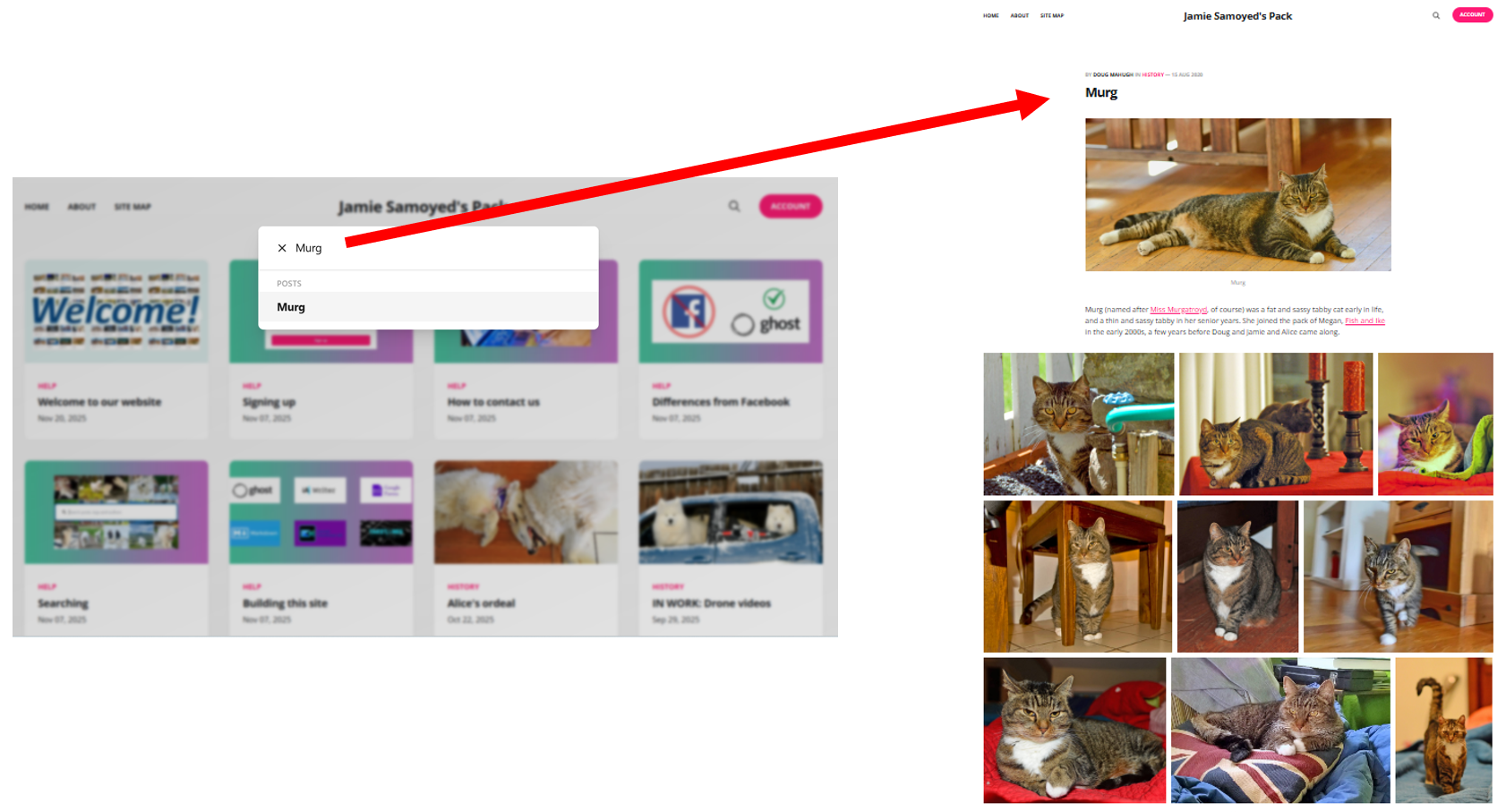
If you know the name of a post (or any word in the name), you can click on the magnifying glass in the top right corner of any page on the site and type in the post name or words that you're searching for. A list of matches appears, and you can click on the one you want.
Help for specific devices
In November 2025, we took a poll of the members of the Jamie Samoyed's Pack group on Facebook to determine what types of phone, computer, or tablet were being used. The top four answers were iPhone, Android phone, Windows computers, and iTab, so we've put together customized help pages for each of those platforms/devices.
- Click here for iPhone help.
- Click here for Android help. We've focused on Android phones, but this information may also be useful for those using Android tablets or computers as well.
- Click here for Windows computer help.
- Click here for iTab help. We've focused on the iTab, but this information may also be useful for those using macOS devices such as the Macbook Air.